Track Team Roster Management Software That Replaces Your Spreadsheets
Every athlete's profile, latest race, best VDOT, and training paces on one dashboard — searchable, sortable, shareable with families, and open to your assistant coaches.
Free for 14 days · Cancel anytime
Your Entire Roster, One Dashboard
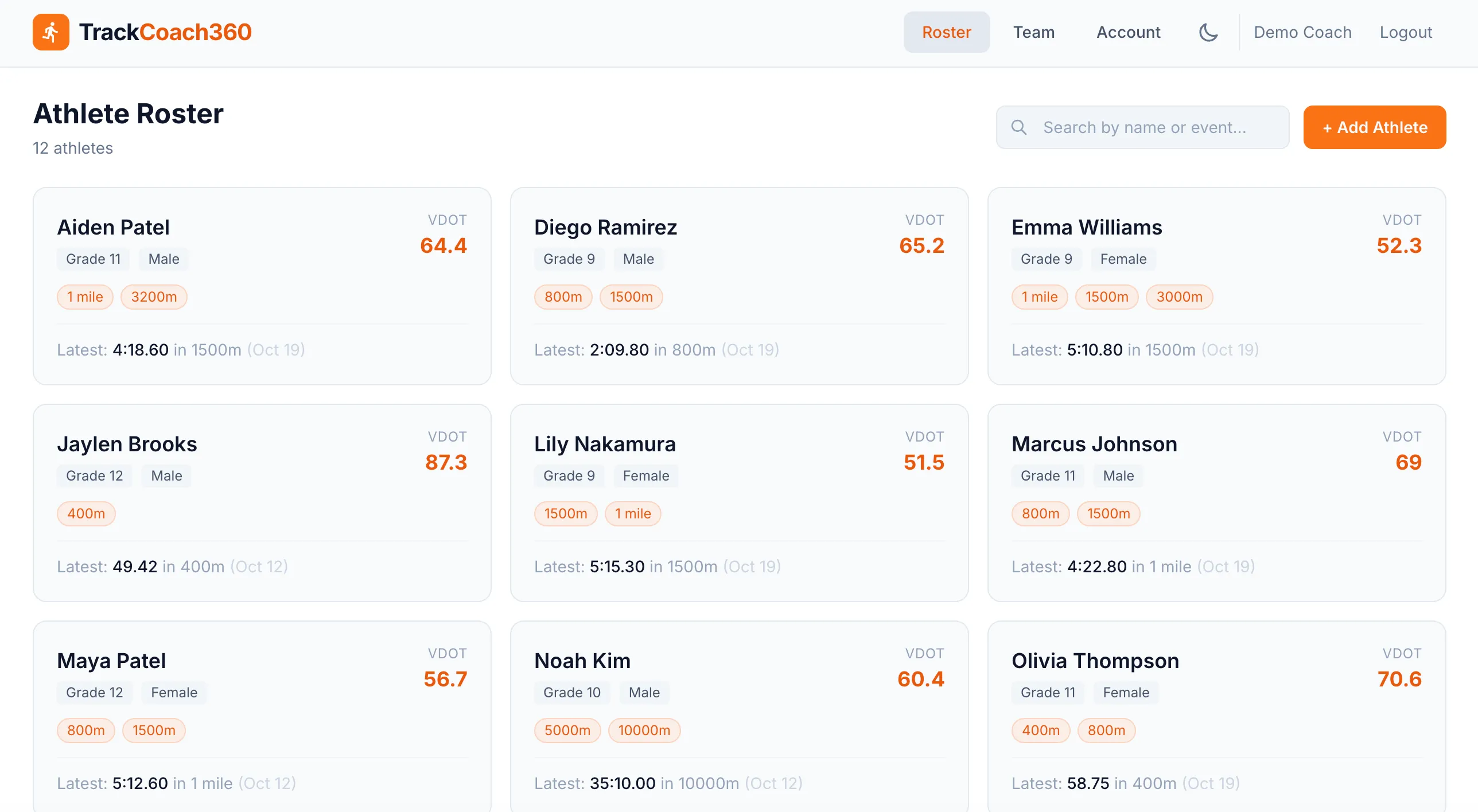
Stop digging through tabs and spreadsheets to remember who runs what. TrackCoach360 puts every athlete's key information at your fingertips — and finding anyone takes a keystroke, not a scroll.
- Athlete profiles with grade, gender, and primary events
- Search and filter by name or event to find anyone instantly
- At-a-glance cards show latest race, best VDOT, and primary events
- Supports all levels — 9th through 12th grade plus college designations
Auto-Grouped by VDOT
Group A · comparable fitness
Athletes whose VDOT scores sit within a few points of each other train together at similar paces.
Group B · comparable fitness
Grouping happens automatically — athletes within 3–5 VDOT points become workout partners.
Group C · comparable fitness
Groups update as race results come in, so they always reflect current fitness.
Workout Groups That Build Themselves
Who should run together on interval day? TrackCoach360 answers that automatically by grouping athletes whose VDOT scores fall within 3–5 points — close enough in fitness to push each other without anyone getting buried.
- Full team table with VDOT scores, paces, and key stats for every athlete
- Compare athletes side by side to plan practice and meet entries
- Groups feed straight into the workout generator on the Complete plan
For the coaching theory behind grouping, read how to group athletes for workouts.
Shareable Athlete Pages — No Logins, No Apps
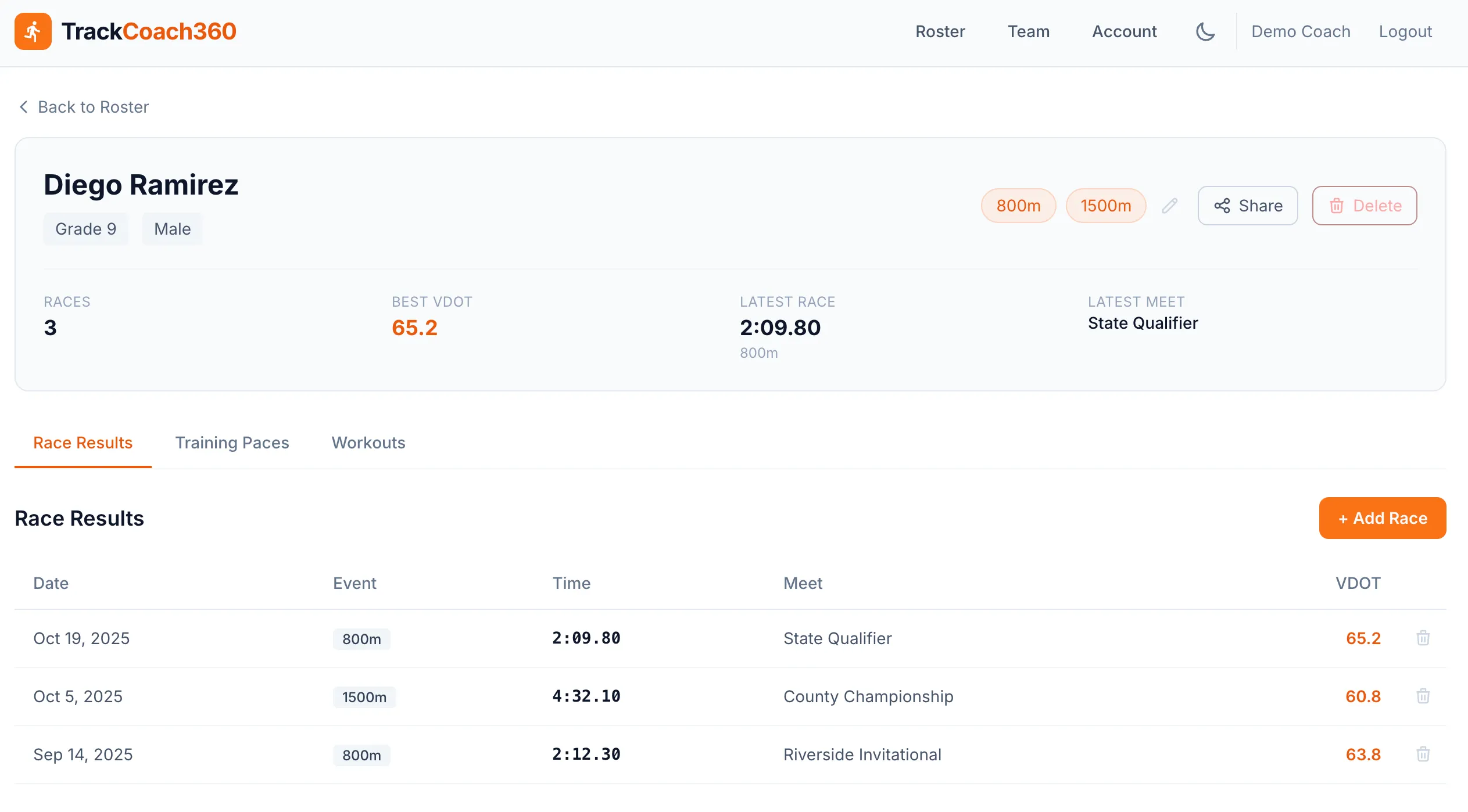
Athletes want to see their progress, and parents want to follow along. Every athlete in TrackCoach360 gets a shareable page you can send with one click — no account, password, or app required on their end.
- One-click sharing from the athlete's profile
- Athletes see their race history, VDOT, and training paces
- A simple answer for the "how's my kid doing?" conversation with parents
- You stay in control — the roster and editing live with the coaching staff
Built for Coaching Staffs, Not Just Head Coaches
Track programs run on shared work. Invite your assistant coaches into TrackCoach360 so the whole staff sees the same roster, the same results, and the same paces — no more forwarding spreadsheets back and forth.
Invite Your Staff
Add assistant coaches to your team — shared roster, shared workload.
One Source of Truth
Everyone works from the same live data — results logged by one coach update training paces for all.
Any Device, Any Practice
Distance coach at the trail, sprint coach at the track — both see the roster on their phones.
Planning your season structure? Start with our cross country training plan guide.
Simple Setup
From Spreadsheet to Dashboard in Three Steps
Add Your Athletes
Add athletes one by one or bulk import. Assign events and grades, and the dashboard is ready.
Invite Your Staff
Bring assistant coaches on board so everyone manages and views the same roster.
Log Results & Share
Race results fill in VDOT scores and paces, groups form automatically, and athlete pages are ready to share.
FAQ
Roster Management Questions
What information does each athlete profile hold?
Each profile includes the athlete's grade, gender, and primary events, plus their full race history, VDOT scores, and training paces. Athlete cards on the dashboard surface the essentials at a glance: latest race, best VDOT, and primary events.
Can I search and filter my roster?
Yes. You can search and filter by name or event to find any athlete instantly, and the full team table is sortable — so finding your 800m runners or comparing the whole squad takes seconds.
How does VDOT auto-grouping work?
TrackCoach360 automatically groups athletes whose VDOT scores fall within 3–5 points of each other. Athletes in the same group have comparable fitness, which makes them natural workout partners — no more guessing who should run together. VDOT comes from logged races via the VDOT calculator.
Do my athletes need accounts or logins?
No. Every athlete has a shareable page you can send with one click, and athletes and parents can view it without creating an account or logging in. They see their results, VDOT, and paces; you keep control of the data.
Can my assistant coaches use it too?
Yes. You can invite assistant coaches to share the roster and the workload, so the whole staff works from the same up-to-date athlete data.
What team levels does TrackCoach360 support?
TrackCoach360 supports 9th through 12th grade plus college designations, so it works for high school programs, college squads, and club teams that span both. Plans start at $9.99/mo — see pricing on the homepage.
Retire the Roster Spreadsheet
Set up your team in minutes, invite your assistants, and give every athlete a page worth sharing.
Free for 14 days · Cancel anytime